



Instagram Story Downloader
Save Instagram Stories and Highlights in HD
Save Instagram Stories and Highlights in HD from a link or username. Download to your phone, tablet, or computer and view them anytime, even offline.


Why Choose Our Instagram Story Downloader?
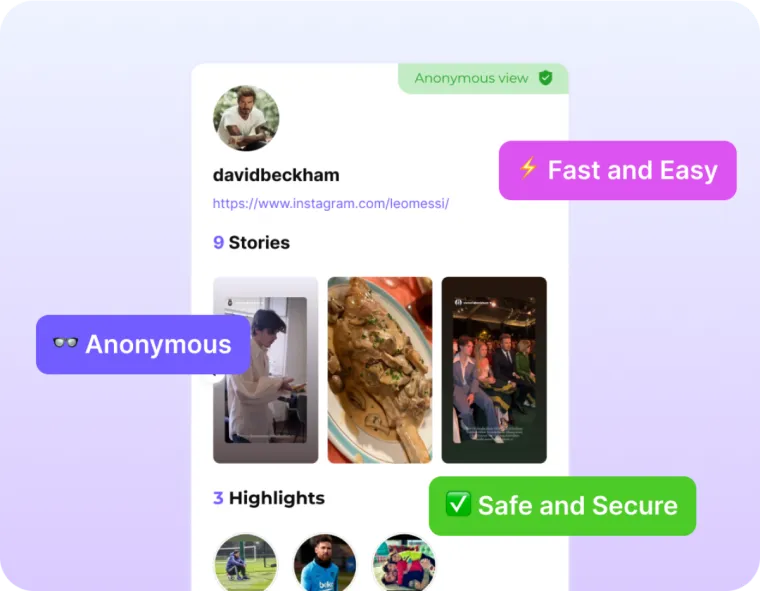

Anonymous Story Downloads
Save public Stories without your Instagram username appearing in the viewer list. DolphinRadar does not send the creator a download notification.

No Instagram Login Required
Start with a public username or Story link. You do not need to connect your Instagram account or share its password.

Free with No Daily Cap
Download individual public Stories as often as you need without buying a subscription. Bulk downloads and continuous archiving are separate paid features.

HD Quality, No Watermark
Download an HD MP4 with no watermark. DolphinRadar does not re-encode or compress the file again.
Key Features of Dolphin Radar’s Instagram Story Downloader

Stories and Highlights
Save current public Story photos and videos. For Stories kept in a public profile’s Highlights, use the Instagram Highlights Downloader.

Download Stories with Music
Save Story videos as MP4 files with the audio available in the source. Background music availability depends on the original Story.

Search by Username or Story Link
Enter a public username to browse the available Stories, or paste a Story link to start from content you already have in mind.

iPhone, Android and PC
Open DolphinRadar in your mobile or desktop browser without installing an app. Save the file to your device, then find it in your browser’s downloads or file manager.
Who Can Benefit from Dolphin Radar’s Instagram Story Downloader

Creators and Marketers
Save public campaign Stories, product launches, and creative references to compare messaging or plan your next piece of content.

Journalists and Researchers
Keep copies of public announcements and event updates to review while preparing a report or checking what was shared.

Parents
Review public Stories from accounts your child follows and save examples you want to discuss together. No Instagram account is needed.

People Who Prefer Private Browsing
Save a public Story you want to keep without connecting your Instagram account or having your username appear in the creator’s viewer list.
Pricing for Instagram Viewer & Downloader
DolphinRadar lets you securely download Instagram stories, highlights, and other public content — completely anonymously. Grab what you need anytime, without the user ever seeing your view.
Enter a username or Story URL to view and download photos and videos from public accounts. Save the Stories you want to revisit before they expire.
Frequently Asked Questions about Dolphin Radar's Instagram Stories Downloader
Yes, when the source Story is available in HD. The downloaded photo or video follows the quality provided by Instagram.
No. DolphinRadar only accesses public content that is still available. It cannot open private accounts or recover deleted Stories. If an older Story is saved in a public Highlight, use the Highlights Downloader instead.
Yes. You do not need to log in to or connect an Instagram account. Your username is not added to the Story’s viewer list through DolphinRadar, and DolphinRadar does not send a download notification.
Yes. DolphinRadar adds no watermark to the downloaded file. Any logos, captions, stickers or watermarks already in the source Story remain.
You can save the audio included in the downloadable Story video. Background music is not guaranteed for every Story, so check the saved video if the soundtrack matters.
Yes. The Free plan includes unlimited individual Story downloads without a paid subscription. Bulk downloads and ongoing archiving are separate paid features.
Paste a public Story link or enter an Instagram username, then click Download. Choose the photo or video you want and use its download option to save it. On mobile, check your browser’s download list or file manager for the saved file.