



Instagram Highlights Downloader
Save Highlight Photos and Videos in HD for Free
Enter a username or profile link to browse Highlights from any public Instagram profile. Choose a collection and save its photos and videos in HD to your phone or computer.


Why Use DolphinRadar’s Instagram Highlights Downloader?
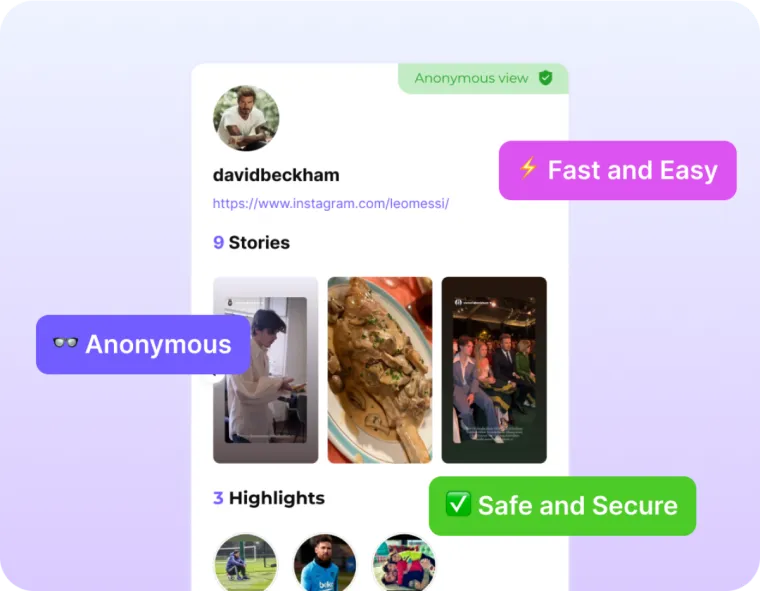

Browse Anonymously
Download public Highlights without signing in to Instagram. Your username stays out of the viewer list, and the account owner receives no download notification.

Free and Unlimited Downloads
Download individual Highlight photos and videos for free, with no daily limit on how many you can save.

HD Quality Without Watermarks
Get the best quality available from Instagram, including HD, without a DolphinRadar watermark on your photos or videos.

Works on Mobile and Desktop
Use DolphinRadar on iPhone, Android, Windows, or Mac. Open it in your browser and download directly to your device, with no app to install.
Key Features of DolphinRadar’s Highlights Downloader

Highlight Videos with Music
Keep the music, voices, and other audio included in the original clip, all in one MP4 file. Available audio can vary from video to video.

PNG Photos and MP4 Videos
A Highlight can contain photos, videos, or a mix of both. Images download as PNG files and videos as MP4 files.

Bulk Download
Download multiple photos and videos from a Highlight in bulk. You can also save a single photo or clip when that is all you need.

Highlights Beyond 24 Hours
Download Stories older than 24 hours if they are still saved in a public Highlight. Once downloaded, your copy stays on your device even if the Highlight is later removed.
Who Can Benefit from an Instagram Highlights Downloader?

People Who Want to Keep Memories
Save a trip recap, a celebration, or a memorable clip before the Highlight is changed or removed. Keep a copy on your device to revisit whenever you like.

People Who Collect Inspiration
Bring outfit ideas, room makeovers, and places you want to visit into one personal collection. Save the useful photos and clips so you can compare ideas when you are ready to make plans.

People Who Follow Tutorials
Keep the steps from a recipe, workout, or how-to guide close at hand. Open the saved photos and videos while you try it yourself, without searching through Instagram again.

People Who Want to Watch Offline
Save a travel guide or a favorite video before a journey. Open the downloaded photos and clips wherever you are, even without Wi-Fi or mobile reception.
Pricing for Instagram Viewer & Downloader
DolphinRadar lets you securely download Instagram stories, highlights, and other public content — completely anonymously. Grab what you need anytime, without the user ever seeing your view.
Browse a public account’s Highlight collections and download the photos or videos you want. Keep a useful guide or favorite memory on your device, even if the Highlight is later removed.
Frequently Asked Questions about DolphinRadar's Instagram Highlights Downloader
Enter a public account's username or profile link and click Download. Open a Highlight, choose the photos or videos you want, and save them to your device. Photos download as PNG files and videos as MP4 files.
Yes. Individual public Highlight photos and videos are free to download, with no daily limit.
Yes. You do not need to log in to Instagram. Your username does not appear in the owner's viewer list, and DolphinRadar does not send a download notification.
Yes, when the soundtrack is included in the available video. Some background music may be unavailable, so check the saved MP4 if you want to keep a particular soundtrack.
Private Highlights are not supported. Stories older than 24 hours can still be downloaded if they remain in a public Highlight. Deleted content cannot be recovered. For current Stories, use the Instagram Story Downloader.
You can save a cover image if it also appears as a photo inside the Highlight. A cover uploaded separately may not be included among the downloadable photos.
Yes. DolphinRadar adds no watermark to your downloads. Any text, stickers, or logos already in the original photo or video stay as they are.